What to Look for When Choosing the Best Antivirus for You
Whether you’re protecting a single laptop, an entire household, or multiple devices across different operating systems, such as Windows and macOS, choosing the right antivirus typically involves several key considerations. These include the following.

Extent of Protection
The extent of protection is a key factor when selecting antivirus software. Decide whether you want just basic protection, such as malware and virus scanning, or broader protection that includes additional security features, such as a firewall, ransomware protection, real-time threat monitoring, and phishing or scam detection.
Many antivirus programs go beyond traditional signature-based scans by offering real-time protection that can flag malicious websites, suspicious URLs, or potentially harmful downloads. Some also use behavioral detection to monitor how different components within your system interact. Some also use behavioral detection to identify suspicious activity that could indicate a potential threat.
The level of protection you need also depends on your risk profile. For instance, if you regularly shop, bank, trade cryptocurrency, or carry out other financial activities online, you may place greater value on features designed to help detect phishing, scams, and malicious websites.
Ease of Use
Ease of use is another important consideration when choosing antivirus software. A confusing interface filled with jargon could make it harder to understand alerts or use important security features.
It can be useful to check whether the antivirus you’re considering is easy to use, especially if you’re a non-technical user. You can also look for providers that offer effective default settings that require little configuration. These often tuck the more advanced configurations into the settings for those who want them.
Furthermore, some antivirus providers offer free trials, which can help you determine whether their mobile apps and desktop software are easy to use day-to-day.
Number of Devices and Platform Support
Many people these days have more than one device, such as a phone, tablet, PC, and laptop. Or you might want to cover multiple devices in your household that run different operating systems, such as macOS, Windows, and Android. As such, buying individual antivirus subscriptions for each device can become quite expensive.
The good news is that many providers of top antivirus solutions, such as Norton, offer plans that cover multiple devices at once and also include dedicated apps for different device types.
System Impact
The antivirus tool you choose should not place an unnecessary burden on your system resources. Ideally, the software will work quietly in the background while you carry on with your usual activities. Antivirus software can affect system performance, so consider how much impact a product has during everyday use and scans.
However, not all functions of an antivirus consume the same amount of CPU or RAM. For instance, background activity may be barely noticeable, whereas more intensive system scans can require more system resources.
Intensive scans can require additional system resources, although the impact varies between products and devices. It matters especially for users with older or lower-specification machines or those running resource-intensive applications such as video editing software or games.
Bundled Features
Modern online threats don’t just include viruses and malware. Other online threats and security concerns include phishing, identity theft, and account hijacking, which broaden the threat landscape. Depending on your online activities, you may also want security and privacy tools beyond a traditional antivirus solution.
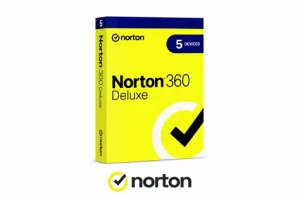
Buying these tools separately, such as a VPN, password manager, encrypted cloud backup, and similar services, can be cumbersome, as it can mean managing several subscriptions. Meanwhile, a security suite can bundle multiple cybersecurity features into one plan. For instance, Norton 360 Deluxe comes with cloud backup, a password manager, a VPN, parental controls, and dark web monitoring.
Instead of purchasing five separate security products, these suites can combine several online protection tools in a single subscription, with some plans covering multiple devices.
Pricing and Budget
Antivirus solutions are available in all shapes and sizes, ranging from free tools like Microsoft Defender Antivirus on Windows to high-end, all-around device protection suites like Norton 360 Deluxe. Rather than focusing on price alone, consider what you are getting at each price point and the level of protection you need.
Moreover, higher-tier plans often include additional protection and features. For instance, entry-level antivirus subscriptions may offer only core scanning and real-time protection, whereas mid-tier plans typically add features such as a firewall and ransomware protection.
While free antivirus software can provide basic protection, paid plans typically offer a broader range of security and privacy features, such as advanced web protection, ransomware defenses, VPN access, or coverage for multiple devices. The right choice ultimately depends on which features you need and how many devices you want to protect.
It’s also important to look beyond the introductory price and consider renewal costs. Antivirus providers may offer discounted rates for the first subscription term, with prices potentially increasing upon renewal. If you prefer to stay with the same provider for longer, it may also be worth comparing multi-year plans, which can sometimes offer better long-term value.
Customer Support
As with any security product, if you run into a technical or account-related issue, responsive customer support from the antivirus provider can be useful. Consider the types of support the provider offers, such as live chat, email, phone, or community forums.
Availability is also an important factor: Is support available 24/7 or only during business hours? The former, which is available with Norton 360 Deluxe, can be useful if you want access to support outside standard business hours or across different time zones. Online customer reviews and independent forums often provide insight into how responsive and helpful a provider’s support team is.
Update Frequency
Malware isn’t static but continues to evolve, making regular antivirus updates important. Two kinds of updates to look for are virus definition updates and software and engine updates.
The first is virus definition updates, which help keep the antivirus’s database of known malware signatures is regularly updated to include new threats. The second is software and engine updates, which can improve the antivirus’s detection engine itself, enhancing features such as behavioral analysis.
Behavioral and heuristic analysis can also help detect suspicious activity that may not match an existing malware signature. Antivirus solutions like Norton 360 Deluxe use these types of detection to help identify potential threats based on patterns of behavior.
AI Quiz: Find the Antivirus That Best Matches Your Needs
As you can see, narrowing down the top antivirus solutions and then finding one that suits your needs can be a daunting task. There are so many factors to consider and so many options to sift through. To help you out, we’ve come up with an AI Quiz that will make the process of finding an antivirus solution that best suits your needs both quicker and easier.
Conclusion
Finding the best antivirus for yourself depends on your specific needs, including the devices you use, budget, and level of protection you want. Other factors to consider include system impact, bundled features, ease of use, customer support, and regular security updates.
Our general advice would be to consider popular performers like Norton 360 Deluxe. It is a top antivirus solution that can tick many of the right boxes for certain people. Not only do you get an award-winning antivirus solution, but you also get a password manager, cloud backup, a VPN, parental controls, and dark web monitoring. In our opinion, that makes Norton 360 Deluxe a well-rounded, all-in-one security suite for those who want several security and privacy tools in one package.