Advertiser disclosure: We receive advertising compensation from brands listed on this site, which impacts how they are presented. We do not physically test the products. We do not include or compare all products or service providers in the market and we encourage users to make further research to select the best product for their needs. Please see our Advertiser Disclosure & How We Rate: Advertiser Disclosure
What is the Purpose of Antivirus Software for Mac?
The purpose of this type of software, in general, is to detect, block, and remove malware from macOS computers. macOS is the official operating system (OS) for Apple’s Mac line of laptops and desktop computers.
Although Macs are known for their built-in security, new threats continue to emerge. For extra protection, some people search for the best antivirus for Mac as a real-time defense against threats. Leading antivirus software designed for your macOS could alert you to suspicious activity that your system might otherwise miss, such as:
- Malware
- Ransomware
- Adware
- Phishing websites
Having a real-time defense against threats like these by installing the best antivirus for Mac can increase peace of mind for certain users. Having protection against everyday risks with computer-related activities like downloading, installing apps, and visiting websites can increase some people’s sense of control and confidence.
Benefits of Antivirus Software for Mac
Adding antivirus to your Mac can have many practical advantages, including:
Malware Protection
The most obvious benefit is that the software is designed to detect and remove malware. That prevents slowdowns and damage to your system, as well as personal info being compromised. The latter could lead to identity theft and other serious issues. The malware could also spread to other devices in your network.
Additional Security
The antivirus you install has the potential to detect threats that the built-in features in macOS might miss, including new viruses and more complex malware. Blocking malware before it executes, not only after it’s recognized, can help your system avoid getting infected.
Browse Safer
Some antivirus software for Mac includes protection against scam websites, dangerous downloads, and phishing sites. You may look for an antivirus that can alert you if the Wi-Fi network has been hacked or if your connection isn’t secure for a safer online experience.
How Antivirus for Mac Works
While macOS includes security features, leading antivirus software offers wider threat protection, extending beyond traditional malware. Depending on the one you use, the antivirus could work by using signature-based scanning, real-time monitoring, and behavioral analysis.
Signature-Based Scans – These scans involve antivirus checking files and apps against a database of known malware signatures (codes and patterns) and alerting you to threats or quarantining them automatically.
Real-Time Monitoring – Several of the best antivirus for Mac subscription plans include this protection. It means the software continually runs in the background to detect and block suspicious activity before it can hurt your system.
Behavioral Analysis – This involves studying the behaviors of files and programs for unusual patterns to detect potential threats. That can be useful for catching new threats not yet in databases.
Leading antivirus software is also designed to look for malware in your system by running scans. Many antivirus brands also offer web protection to reduce risks when Browse sites, downloading from online sources, and shopping online.
What are the Features of the Best Antivirus for Mac?
Not all antivirus software for Mac is the same. Let’s talk about how they vary by features. The following list is features many people consider when looking for the right antivirus for their Mac:
Speed
A quality antivirus won’t weigh down your macOS, meaning it won’t slow down the performance. Instead, many popular options are lightweight, so they don’t cause system lag or use a lot of CPU (Central Processing Unit) resources.
Testing
In our reviews, if we know the antivirus software for Mac has been tested by an independent lab for low system impact or its rate for catching malware, we will tell you. These types of tests can help you feel more comfortable with the brand, especially if it is new to you.
Scan Options
Many top options for Macs enable you to schedule scans for certain times, so they happen automatically, or you can do them manually. Also, having the option of quick and fast scans for malware suits many people. These scans can increase peace of mind for certain users.
All-in-One Solution
Some people look for a comprehensive suite that includes more than antivirus to have everything in one handy dashboard and get additional security features all at once.
In addition to the antivirus, features in the suite might include:
- VPN (Virtual Private Network)
- Firewall
- Password Manager
- Web and Email Protection
- Ransomware Protection
These are only some of the many features in some comprehensive packages. Real-time scanning and on-demand scans are often included. Some families may look for parental controls in the ideal plan.
Multiple Macs
You may want to protect multiple Macs within one antivirus subscription plan. That may offer better value than buying separate licenses for different computers. Getting what you want involves looking at the number of compatible Macs covered within the plan to ensure it suits your needs.
Brand Reputation
Protecting your Mac is a serious thing. We understand that. We choose to only partner with brands we believe in. Plus, our reviews of the best antivirus for Mac include helpful information to help you find which one most suits what you’re looking for.
Easy to Install and Use
A straightforward installation of the antivirus software is important to many people. As is a user-friendly dashboard with clear settings. That can improve your experience significantly and help you make use of the features. Some antivirus for Mac providers also offer custom configurations.
Customer Service
If you have questions and need assistance, it’s reassuring to know there are multiple ways to get in touch with the customer support team. Leading antivirus for Mac providers offer all or a combination of:
- Live chat
- Phone support
- Email assistance
- Online articles with guidance and tips
Trial or Money-Back Guarantee
If you are unsure which antivirus software for Mac to choose, look for one with a free trial or a money-back guarantee. These options let you test the software on your computer to ensure it has the functionality you’re looking for, especially if the brand is new to you.
Most money-back guarantees have a 30-day or 60-day window to try the antivirus. Reading the brand’s refund policy can help you understand the process, such as any exclusions.
Plans vs Free Versions
The right plan is the one that fits your budget and has the features you’re looking for. Free antivirus software typically offers basic protection but often lacks real-time protection. It likely also does not include extra features like ransomware protection or a firewall, and it is often only for one computer.
For those who want additional security, choosing a subscription plan offers benefits like multi-device use and real-time monitoring. Fortunately, many antivirus for Mac providers offer budget-friendly plans. We review popular antivirus options for many different budgets, whether you choose monthly, annual, or multi-year plans. Often, the longer periods offer better value, and many providers offer discounted first-year pricing to help reduce the initial cost.
Antivirus and macOS: What to Know about Compatibility
It’s important to know that antivirus for Mac does not work on every Apple device. Leading antivirus options:
- Are designed primarily for macOS
- May not be compatible with iOS or iPadOS
- Typically have minimum system requirements
So, checking the compatibility of your computer with the option you’re looking at is a crucial part of the decision-making process. That can save you time, frustration, and buyer’s remorse.
Generally, you cannot install the best antivirus for Mac on a computer that has Windows OS (and vice versa). That’s because each is designed for the specific operating system. macOS and Windows differ in their essential components and how they handle processes and resources, so software made for Macs won’t function properly on PCs with Windows due to OS compatibility.
Furthermore, each antivirus software for Mac has minimum system requirements. So, check that the one you’re considering using is compatible with the version of macOS installed on your computer or laptop.
Understanding Mac Virus Scan Types
Earlier, we briefly mentioned scan options. As this topic deserves more attention, let’s do that now. Choosing an antivirus with multiple Mac virus scan types enables you to choose the one that suits your needs in different situations. For example:
Full System Scans – Checks every file, folder, and area of the system for malware. It is ideal for occasional detailed checks or if you worry the system is infected. While this scan can slow down the system briefly, it is the most thorough of the ones listed here.
Quick Scans – Scanning the most places where malware is most likely to hide, quick scans provide a fast check of system folders, downloads, and temporary files. While less thorough than full system scans, daily and weekly quick scans can catch the most common threats before they cause problems.
Custom Scans – Checks a specific file, folder, or external drive of your choosing. It is useful for checking downloads, USB drivers, or suspicious files. A major benefit of custom or targeted scans is that they use minimal system resources and run quickly, though they can miss hidden threats that a full system scan could potentially find.
Real-Time Scans – Being able to monitor files and applications as you open or download them means this Mac virus scan option continually protects your system, as opposed to manual scans. Real-time scanning detects threats immediately before they spread.
Cloud or AI-Assisted Scans – Instead of relying on your computer’s local database of virus definitions, some top antivirus choices for Mac use cloud-based or AI-assisted scans to identify threats in real time. That allows your antivirus to detect zero-day threats (malware that is so new it does not yet have a fix) and do so faster than traditional methods.
Different Mac virus scan types allow you to choose the best scan for your goals and risk level, rather than only having a one-size-fits-all scan. When shopping for antivirus software, many people find it useful to look at which scan options are included to find the best fit.
Finding the Best Antivirus for Mac: How Comparison and Reviews Help
Selecting the right antivirus for your Mac starts with understanding your needs, whether that’s basic protection or more advanced features for multiple computers. To make your decision easier, our team reviews and compares top antivirus software options for Mac users.
You’ll find a comparison chart and feature lists of these leaders on this page to help you find the one that offers the most of what you want. You’ll also find reviews to learn more about each one, including pros, any drawbacks, and standout features. The goal is to help you more confidently choose the software that suits your needs.
Best Antivirus for Mac Reviews
The antivirus that is “best” for you depends on what’s important to you, from the number of computers you want to use it on to what you consider the most important features. After reviewing popular antivirus software for Mac, we consider the top ones to be:
Norton
TotalAV
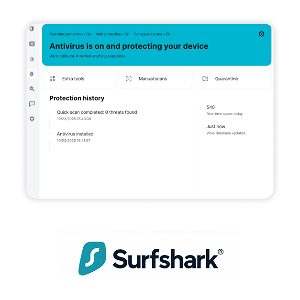
Surfshark