Advertiser disclosure: We receive advertising compensation from brands listed on this site, which impacts how they are presented. We do not physically test the products. We do not include or compare all products or service providers in the market and we encourage users to make further research to select the best product for their needs. Please see our Advertiser Disclosure & How We Rate: Advertiser Disclosure
What is Malware?
Malware refers to malicious software. It is a general term for software designed to harm a computer, smartphone or other mobile device, network, or user. From slowing down a computer to stealing the identity of the user, there are many ill-intended purposes of malware.
A malware attack is serious as it works in favor of the cyber attacker and against your interests. It can:
- Damage your device
- Spread to connected devices
- Drain your finances
- Invade your personal privacy
- Cause permanent data loss
At its core, malware affects your control, reduces trust, and compromises security. That is why having the best malware protection is so important to many people.
Common Malware Types
There are several types of malware, differing in their goals and how they work. Among the most common are:
Viruses – One of the first types of malware, viruses are designed to spread when opened to disrupt or destroy devices. The virus could be attached to an email attachment, for example.
Ransomware – A ransomware attack blocks access to crucial data, usually by encrypting your files, until a ransom is paid. The data theft for monetary gain can destroy records and be financially costly.
Spyware – Collecting personal information without the user knowing, spyware is used for identity theft or selling personal data to third parties. It may collect bank account details, Browse habits, and more.
Adware – Once installed on a computer, often without the user’s explicit consent, adware displays ads that can slow a device down, potentially install other software, and increase the chances of other malware.
Worms – Sources for worms include email attachments, text messages, and removable drives. Worms spread through a network, with the purpose varying from stealing personal data to blocking file access.
Trojans – While they look like real software, trojans are not. They trick people into downloading them and, in turn, installing worms, viruses, or other malware. The intent ranges from click fraud to password theft.
Do I Need Anti-Malware Software?
If you do not check for malware, you may not even be aware that it is on your computer. That puts your digital security at risk, makes your sensitive information vulnerable, and can have long-lasting effects for individuals and organizations.
Among the severe consequences of malware are identity theft, financial loss, data breaches, and deleted files. Given the seriousness of these situations, which can take a long time to resolve and be very stressful, you may look for the best malware removal and detection software. Certain users consider doing so to be a smart and proactive choice.
While most modern operating systems come with built-in protection, it can vary widely in strength and what it protects against. Some users find it is not enough on its own. That can be especially true for those who:
- Browse the Internet extensively
- Store or access sensitive data
- Regularly bank or shop online
- Regularly download files
Having anti-malware software on a computer or mobile device adds another layer of protection to built-in solutions. For instance, you may choose to add premium software to go beyond basic built-in protection to get advanced threat detection, secure browsing, alerts about identity theft, and more. Which features you get depends on the software.
Considerations When Shopping for the Best Anti-Malware Software
To make decision-making easier, here are common considerations of those looking for the best malware removal software:
Ability to Protect
Many people look for software that can protect against multiple types of malware, rather than just one or two. That provides a wider range of protection. Some of the best options use behavioral monitoring and heuristic analysis to catch threats that are not yet officially recognized. To help you understand protection for a certain brand, you might look for a high score in this area from an independent testing lab posted on the brand’s website.
Real-Time Protection & On-Demand Scans
You may want anti-malware software that actively scans files and activity while you use the computer or other device. In comparison, on-demand scanning requires you to manually run a scan rather than continually monitoring the system as you use it. Real-time protection is generally the stronger option of the two as it has the potential to stop malware before damage happens.
Many users prefer a combination of real-time protection and on-demand scanning. That provides the ability to manually check when you want and have constant real-time protection.
Extra Features
You may want additional privacy and security features, alongside the malware protection. That is why certain leading brands offer extra capabilities in a comprehensive package, such as:
- VPN (Virtual Private Network)
- Firewall
- Ransomware Protection
- Parental Controls
Which package is right for you depends on which features you want. Having access to different features in a single dashboard from one provider can be convenient.
Device Compatibility
To function properly, the software must be compatible with the operating system (OS) of your desktop computer or other device that you plan to use it on. Otherwise, the software may not be installed properly (if at all), can run slowly, and may leave your system vulnerable to attackers.
For example, certain software is made for Windows, others for macOS, and so forth. Check certain system specifications, too, of the software you’re considering using, such as a minimum processor speed to run correctly.
Performance
The best malware removal software is typically lightweight, meaning it does not put a heavy burden on the system. Excellent performance involves running efficiently in the background without causing noticeable slowdowns to your device. That makes it less likely to interfere with work, gaming, or other digital activities.
Automatic Updates
You might look for a provider that includes automatic updates in its plan. As threats continue to emerge, software that automatically updates can detect and block new malware to keep your device safer. Frequent updates also optimize the software to help it run faster. The updates can improve the software’s ability to detect and remove malware, too.
Simple to Use
Being easy to install, navigate, and use is important to many people, whether they are tech-savvy or not. The best malware protection is generally straightforward to configure so that you can make the most of the features available.
Customer Support
If you need assistance with the software in the future, it’s nice to know that help will be available to you. Many leading providers off a range of support options, depending on which is most comfortable for you. Some examples are:
- Live chat on its website
- Phone support
- Email assistance
- Online help guides
Value
The best value refers to getting the most effective, reliable protection from the anti-malware software. That’s not necessarily the cheapest one, but instead the one that provides the most overall benefit for you and greater peace of mind.
We understand that the right choice is also the one that fits your budget. We review popular choices for a range of budgets. Generally, there are monthly, yearly, and multi-year plans to choose from.
Often, leading providers give significant discounts for the first year of service. Longer-term subscriptions from certain providers may provide better value with a lower overall price per month or year, making it more affordable over time.
Money-Back Guarantee
The best malware protection software for you may be the one that has a money-back guarantee. Unlike free trials that limit features or time, a money-back guarantee often gives you full access to the paid version for a longer period so you can test the product thoroughly. The money-back guarantee window is usually 30-60 days. In the unlikely case that you are not happy with it, you can request a refund from the brand within this period, upon meeting the policy terms.
How Does This Type of Software Work?
That depends on which one you choose. Generally, the best malware protection detects, blocks, and removes malware before it harms your device or data through one or more of these methods:
Real-Time Scanning – Continually monitors files, emails, downloads, and programs on your device, automatically quarantining or removing anything suspicious.
Signature-Based Detection – Compares files against a database of malware “signatures” (unique code patterns) to catch known threats.
Heuristic Analysis – Analyzes files for new, unknown, or modified malware that’s not yet in a signature database, before the file runs.
Behavioral Monitoring – It aims to detect malware that signature-based methods might miss, during and after the file runs.
Automatic Updates – Runs in the background, helping protect your system against the latest malware variants, without having to install manual updates.
Several detection methods may be used by the best malware removal software. Basic options typically rely on signature-based detection and real-time scanning to detect known threats. Free ones may have limited real-time protection or behavioral monitoring. You may want advanced software with behavioral monitoring and heuristic analysis to detect new threats not yet known to signatures.
How to Use the Best Malware Removal Software
Now that we’ve described what malware is and how the best malware removal software works, you’re likely wondering how to use it effectively. Proper setup and maintenance can affect how well it protect your device.
Many people start by running a full system scan after installation to identify and remove any existing threats. Then, you may choose to enable real-time protection and schedule regular automatic scans for continual security. For example, you may choose to do a weekly full scan and daily quick scans rather than doing a daily full scan that can slow down performance.
The right scan types for you depend on factors like how you use your computer and how often you’re online. If you need to check only a certain folder, external drive, or download, a custom scan is handy as it is fast and rarely slows your system.
What if malware is found during the scan? The best malware removal software will typically quarantine the infected file automatically, so it cannot further harm your system. You can then review the item and choose whether to delete or restore it. Deleting the quarantined file permanently removes it from your device. This choice is the safest if the software confirms the file is malicious or you don’t recognize it.
Even the best malware removal software can sometimes flag safe files as threats (a false positive). If you confirm the file is legitimate, you may choose to restore the file from quarantine. Before doing so, it is wise to double-check the file, such as verifying it with the software vendor. If unsure whether to delete or restore an item, it’s generally best to leave it in quarantine until you can confirm what it is. That way, your system is not at risk while you assess the item.
What is the Best Malware Protection?
What is “best” for you depends on your needs and computer use. The features most important to you may be different from another individual or an organization.
You may also want a package that includes extras like a VPN and is usable on a certain type or number of devices. One with a low system impact may also be high on your list of must-haves when shopping for anti-malware software.
The earlier-mentioned list of features to consider can help inform your decision-making process. We include the main features and other helpful information in our reviews of the best malware protection, based on our team’s research. The reviews also include benefits, any limitations, and other important details about the spotlighted software to help you find the most suitable one.
Reading Reviews to Find the Best Malware Protection
The more information you know about the software, the better able you are to determine whether it is right for your needs. To make decision-making easier, we provide reviews on popular options for the best malware removal and protection. The reviews generally include key features, pros, any limitations, whether there is a money-back guarantee, and other useful information.
What is the Strongest Anti-Malware Software? Our Top Choices
The best malware protection for you depends on many things, from which features you consider most important to compatibility with your computer’s operating system. To help you find what’s right for your household, we review several popular options for features and provide details to help you decide if it could be a good fit for you. The reviews are accessible through this page, and the handy comparison table and bullet-point lists above can also inform your decision-making process.
Based on our team’s research and review of the best anti-malware software, we consider the leading choices to be:
TotalAV
Norton
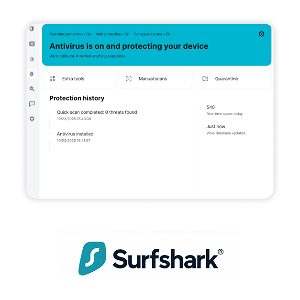
Surfshark
FAQ
Is My Computer Infected?
If your computer is slowing down, shows unexpected pop-ups, or behaving strangely in other ways, your computer might be infected. Running a scan with a trusted antivirus could be your next step to check and confirm whether your system has malware.
Why is Malware Protection Important in Antivirus Software?
Malware protection helps protect devices from serious damage, including slow performance, stolen personal information like passwords and banking details, and corrupted files. Since malware can spread quickly, effective malware protection is important.
What are the Best Tips for Malware Removal?
Start by running a full system scan with your chosen malware protection software to catch hidden threats. Then, review quarantined files carefully, checking each one carefully to avoid deleting anything important, and only restore files you are confident are safe. Finally, keep your antivirus and operating system updated to patch vulnerabilities and prevent being reinfected with malware.